Complete Guide to Getting Started with an OBD2 Scanner

OBD2 (On-Board Diagnostics 2) scanners are essential tools for diagnosing problems in modern vehicles. Whether you’re a car owner looking to save on diagnostic fees or an amateur mechanic seeking to deepen your skills, this guide will help you understand how to use an OBD2 scanner effectively.

What is an OBD2 Scanner?

An OBD2 scanner is a device that connects to a car’s computer system to read diagnostic trouble codes generated by the onboard computer. These codes help identify technical or mechanical issues, such as engine problems, fuel system anomalies, or emission concerns.

History of OBD

OBD was first introduced in the 1980s to standardize vehicle diagnostics. OBD2, an improved version, was adopted starting in 1996 in many countries to ensure universal compatibility.

Why Use an OBD2 Scanner?

  1. Quickly Identify Problems: The codes generated directly indicate potential issues.
  2. Save Money: By identifying the cause of a problem, you can reduce repair costs.
  3. Preventive Maintenance: Some scanners can track vehicle performance and prevent problems before they become serious.
  4. Universal Compatibility: Works on most vehicles produced after 1996.

Choosing an OBD2 Scanner

There are different types of OBD2 scanners. Here are the factors to consider when making your choice:

Types of Scanners

  1. Basic Scanners:
    • Provide diagnostic trouble codes (DTCs).
    • May be inexpensive but offer limited features.
  2. Advanced Scanners:
    • Include detailed information like real-time data.
    • Often have code-clearing functions.
  3. Bluetooth/Wi-Fi Adapters:
    • Connect to a smartphone or tablet via an app.
    • Ideal for users who prefer modern, comprehensive interfaces.

Selection Criteria

  • Compatibility: Ensure the scanner is compatible with your vehicle.
  • Price: Choose according to your budget and needs.
  • Ease of Use: Some scanners are more intuitive than others.
  • Additional Features: Data analysis, specific tests (e.g., ABS, airbags).

How to Use an OBD2 Scanner?

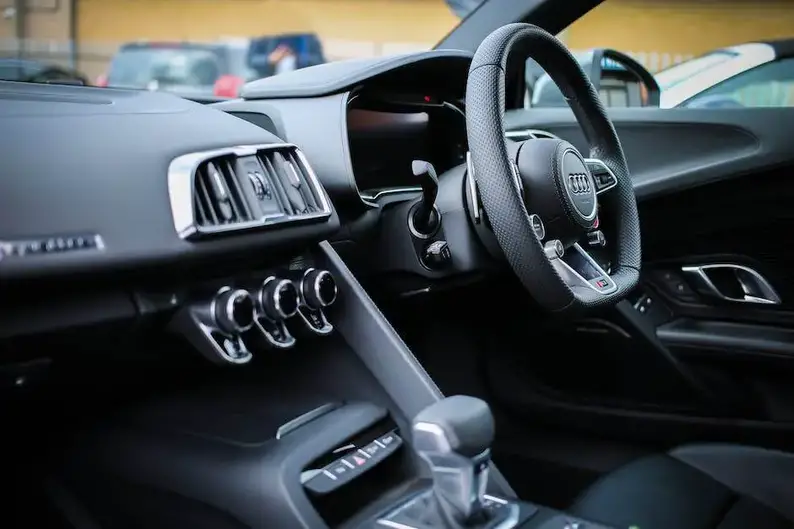
  1. Locate the OBD2 Port: It is usually found under the dashboard on the driver’s side.
  2. Plug in the Scanner: Insert the connector into the OBD2 port.
  3. Start the Vehicle: Turn the key to the ON position (without starting the engine, unless otherwise indicated).
  4. Turn on the Scanner: Some turn on automatically, while others require manual activation.
  5. Read the Codes:
    • Access the “Read Codes” option on the scanner.
    • Note the displayed codes.
  6. Interpret the Codes: Refer to the scanner’s manual or search online to understand their meaning.
  7. Clear the Codes (Optional): If the issue is resolved, use the “Clear Codes” option.

Tips for Beginners

  • Take Time to Read the Manual: Each scanner has its specificities.
  • Do Not Delete Codes Randomly: Clearing a code without fixing the problem can worsen the situation.
  • Use Complementary Apps: Bluetooth/Wi-Fi adapters often offer more advanced features with apps like Torque or Car Scanner.

Common Mistakes to Avoid

  1. Using an Incompatible Scanner: It may not work or could damage the OBD2 port.
  2. Ignoring Data: Codes are clues; do not consider them as final diagnoses.
  3. Clearing Codes Before Checking: Keep a record of the codes before resetting them.

Conclusion

An OBD2 scanner is a wise investment for any vehicle owner. By understanding how it works and following the steps mentioned, you can quickly diagnose and resolve common problems while saving time and money. With practice, this tool will become an essential part of your automotive toolkit.

Difference between EOBD, OBD2 and CAN-Bus: What you need to know

The terms EOBD, OBD2, and CAN-Bus are frequently used in the automotive world, especially concerning vehicle diagnostic systems. If you are a car owner, mechanic, or automotive technology enthusiast, it is essential to understand the differences and interactions between these systems. Here is a detailed overview.
1. OBD2 (On-Board Diagnostics, version 2)

OBD2 is an on-board diagnostic system that monitors the status of various vehicle components, including the engine and transmission. Introduced in the 1990s, OBD2 became a global standard for vehicles manufactured after 1996, particularly in North America and later in other regions.

OBD2 Features:

  • Reading Error Codes: OBD2 allows technicians to read error codes that indicate specific problems, making it easier to diagnose faults.
  • Emission Monitoring: It also checks the emission control system to ensure the vehicle complies with environmental standards.
  • Real-Time Data Access: OBD2 enables tracking of various real-time information, such as engine speed, coolant temperature, fuel pressure, etc.

OBD2 uses standardized connectors (usually a 16-pin connector) to connect to diagnostic tools, facilitating vehicle maintenance and repairs.

2. EOBD (European On-Board Diagnostics)

EOBD is a version of OBD2 specifically introduced in Europe to meet strict emission and safety standards. Although both systems (EOBD and OBD2) share many similarities, EOBD has additional requirements for emission monitoring.

Differences from OBD2:

  • European Standards: EOBD aligns with European standards for light-duty vehicles (cars and vans), including specific requirements for emissions and pollutant gas control.
  • Compliance Obligations: Vehicle manufacturers must ensure that vehicles sold in Europe comply with emission regulations, hence the need for an on-board diagnostic system that meets EOBD standards.

In practice, EOBD is essentially a European version of OBD2 but with additional specifications for managing pollutant emissions.

3. CAN-Bus (Controller Area Network)

The CAN-Bus is a communication system between different electronic modules in a vehicle. Unlike OBD2 and EOBD, which are diagnostic protocols, CAN-Bus is a network used to exchange information between vehicle components such as the ECU (electronic control unit), sensors, and other devices.

How CAN-Bus Works:

  • Real-Time Communication: CAN-Bus allows different vehicle systems to communicate in real time. For example, if a sensor detects an anomaly in engine temperature, it can send an alert to the engine control module (ECM) via the CAN-Bus.
  • Reduced Wiring: CAN-Bus simplifies vehicle wiring by transmitting multiple pieces of information through a single pair of wires, reducing weight and wiring complexity.

CAN-Bus is a technology used in most modern vehicles and is essential for the harmonious operation of on-board systems.

Key Differences Between EOBD, OBD2, and CAN-Bus:

Criterion OBD2 EOBD CAN-Bus
Main Purpose Diagnosis of engine systems and emissions Emission diagnosis and compliance with European standards Communication between different electronic modules in the vehicle
Region of Application Global (with few exceptions) Primarily in Europe Used globally in modern vehicles
Connection Port Standardized 16-pin connector Standardized 16-pin connector No specific port, used in the vehicle’s internal wiring
Accessible Data Error codes, real-time data (engine, emissions) Data similar to OBD2 with a focus on emissions Internal data between modules (engine temperature, braking, etc.)

Conclusion

In summary, OBD2 and EOBD are primarily diagnostic systems used to monitor and analyze vehicle performance, especially regarding emissions, with specific requirements for Europe in the case of EOBD. The CAN-Bus, on the other hand, is a communication network between different electronic components of the vehicle, enabling real-time information exchange. All these systems play an essential role in maintaining the performance, safety, and environmental compliance of modern vehicles.

For vehicle owners, it is important to understand that although these systems have different objectives, they work together to ensure the vehicle operates correctly and meets safety and emission standards.

Common mistakes to avoid with OBD2 diagnostics

OBD2 tools are now essential for diagnosing mechanical and electronic issues in modern vehicles. They save time and money by quickly identifying faults through specific codes. However, improper use can lead to costly or ineffective errors. Here are the most common mistakes to avoid and how to work around them to get the most out of your OBD2 scanner.


1. Not checking scanner compatibility

Problem: Not all scanners work with all vehicles. Some OBD2 tools are designed for specific brands or newer models, while others only support basic functions.

Solution: Before purchasing a scanner, ensure it is compatible with your car. Check the technical specifications and look for online reviews to avoid unpleasant surprises.


2. Ignoring software updates

Problem: OBD codes evolve with new vehicle technologies. A scanner with outdated software may miss critical diagnostics or display incorrect errors.

Solution: Regularly update your scanner’s software. Most manufacturers offer free or paid updates through their official websites.


3. Misinterpreting an OBD code

Problem: Many people think an OBD code directly indicates which part to replace. For example, a code related to the oxygen sensor doesn’t necessarily mean the sensor is faulty—it could be triggered by other issues like a clogged catalytic converter.

Solution: Use the code as a starting point. Consult manuals or online resources to correctly interpret the codes and their potential causes.


4. Clearing codes without solving the problem

Problem: Clearing error codes before fixing the issue can mask the problem and delay necessary repairs. It can also complicate future diagnostics.

Solution: Never delete an error code without identifying and resolving the underlying cause. The code may reappear if the problem persists.


5. Using a low-end or counterfeit scanner

Problem: Cheap or counterfeit scanners can provide inaccurate or incomplete information, leading to unnecessary repairs.

Solution: Invest in a quality diagnostic tool. Reliable scanners offer greater accuracy, advanced features (like real-time data), and better durability.


6. Forgetting to read real-time data

Problem: Focusing only on error codes without examining real-time data can give an incomplete picture of the situation.

Solution: Use your scanner’s live data features to monitor vehicle performance. This helps identify potential problems before they trigger an error code.


7. Neglecting regular sensor maintenance

Problem: Sensors like the mass airflow sensor (MAF) or oxygen sensors can get dirty or age, affecting diagnostic results.

Solution: Regularly clean sensors or replace them if necessary to ensure accurate diagnostics.


8. Not reading the user manual

Problem: Many users overlook their scanner’s manual, which can lead to misuse or underutilization of its advanced features.

Solution: Take the time to read the manual to understand all the options offered by your scanner. This may include tools like emission cycle tracking, sensor tests, etc.


9. Thinking a scanner detects everything

Problem: An OBD2 scanner is a powerful tool, but it cannot diagnose everything. For example, it won’t detect mechanical issues like an oil leak or failing brake system.

Solution: Use the scanner as a complement to a thorough visual and mechanical inspection of your vehicle.


10. Ignoring code history

Problem: Clearing codes too quickly can cause you to lose useful information about past faults, complicating diagnosis.

Solution: Always note the codes before clearing them. This can help you track recurring issues.


Tips for successful OBD2 diagnostics

  • Work in a safe environment: Avoid scanning a vehicle in unstable conditions or with the engine running unnecessarily.
  • Keep track of diagnostics: Take screenshots or note results for future reference.
  • Use reliable resources: Look for specific solutions in manuals, forums, or online guides.

Why invest in a good diagnostic tool?

A quality OBD2 scanner can transform how you maintain your vehicle. It helps you:

  • Identify problems quickly.
  • Reduce costs by avoiding unnecessary repairs.
  • Monitor performance in real time.

Discover our selection of OBD2 scanners at eobdcode.com for reliable and accurate diagnostics.


Conclusion

OBD2 diagnostics are a powerful tool, but they require correct use to avoid costly mistakes. By following these tips, you’ll maximize your scanner’s efficiency and extend your vehicle’s lifespan.

Ready to diagnose your car like a pro? Explore our OBD2 tools at eobdcode.com today!

OBD2 Scanner: Practical Guide for Professional Car Diagnostics

An OBD2 scanner is an essential tool for diagnosing your vehicle’s issues, but many only use it to half its potential. Did you know that beyond simply reading fault codes, it can reveal real-time data on engine operation, emissions, and even predict costly breakdowns? Discover how to fully utilize this tool and avoid common pitfalls.


1. OBD2 Scanner Basics: What You Need to Know

What is an OBD2 Scanner?

  • Overview of the OBD2 system (universal standard since 1996).
  • Types of scanners: basic (code reading/clearing) vs. advanced (data streams, live tests).

Preparation Before Use

  • Locate the OBD2 port (under the steering wheel, near the glove box).
  • Check ignition: engine off or running? (Depending on the operations).

2. Tips for Using an OBD2 Scanner Like a Pro

Tip 1: Don’t Rely Solely on Codes

  • Read live data (e.g., RPM, coolant temperature, O2 sensor voltage).
  • Example: A P0171 code (system too lean) + abnormal MAF sensor data = faulty MAF sensor.

Tip 2: Use Mode 6 for Intermittent Issues

  • Mode 6 provides access to manufacturer-specific tests (e.g., circuit tests, compression ratios).
  • How to interpret “TEST-ID” and “Result” values to identify subtle problems.

Tip 3: Save Data Before Clearing Codes

  • Why you should always note the codes and freeze frame data before clearing them.

Tip 4: Compare Pre-Cat and Post-Cat Data

  • Analyze oxygen sensors before and after the catalyst to detect a failing catalytic converter (e.g., code P0420).

3. The 5 Common Mistakes to Absolutely Avoid

Mistake 1: Clearing Codes Without Prior Diagnosis

  • Clearing a code without understanding its cause = risk of quick recurrence.

Mistake 2: Ignoring “Pending” Codes

  • These codes don’t trigger the check engine light but signal emerging problems.

Mistake 3: Using a Scanner Incompatible With Your Vehicle

  • Check supported protocols (e.g., CAN, KWP2000) based on make and year.

Mistake 4: Neglecting Scanner Updates

  • Software updates add functions and fix bugs.

Mistake 5: Confusing Generic and Specific Codes

  • Example: A P0300 code (generic misfire) vs. a P0304 code (misfire on cylinder 4).

4. Recommended Tools to Go Further

  • Beginner scanners: Foseal Foseal-Scan Pro (budget) – Basic reading and clearing.
  • Pro scanners: Autel MaxiCOM MK808 (advanced analysis, reprogramming).
  • Free software: Torque Pro (with a Bluetooth adapter) for smartphones.

5. FAQ: Common Questions About OBD2 Scanners

Q: Can an OBD2 scanner damage my vehicle?
A: No, if used correctly. Avoid unplugging the scanner during an update.

Q: Why won’t my scanner connect to the vehicle?
A: Check the OBD2 port (blown fuse?), compatible protocol, or wiring.

Q: Do I need to buy an expensive scanner for occasional use?
A: No, an entry-level model is sufficient for most basic diagnostics.


Conclusion

An OBD2 scanner is much more than a simple code reader: it’s a window into your vehicle’s health. By avoiding common mistakes and utilizing its advanced functions, you’ll save time and money. Share your experiences in the comments or ask your questions to learn more!

How to interpret OBD codes for electric vehicles?

The on-board diagnostic system (OBD, On-Board Diagnostics) is an essential tool for monitoring the proper functioning of a vehicle. Initially designed for internal combustion engine vehicles (ICEVs), it detects anomalies related to pollutant emissions. However, with the rise of electric vehicles (EVs), OBD has evolved to adapt to specific components such as batteries, electric motors, and charging systems.

OBD for Electric Vehicles: Major Differences
Unlike ICEVs, EVs have no emissions to monitor, but their OBD system focuses on:

  • The high-voltage battery (state of health, temperature, insulation).
  • The electric motor and inverter (overheating, failures).
  • The charging system (connection, compatibility).
  • Thermal management (cooling of critical components).

Although the standard OBD-II port is often present, the generated codes are specific to electric technologies. Standards such as ISO 14229 (UDS) complement OBD-II for more advanced diagnostics.

Structure of OBD Codes for EVs
A typical OBD code consists of a letter followed by four digits:

  • Letter: indicates the system concerned (e.g., P for Powertrain, B for Body, U for Network).
  • First digit: 0 (generic code) or 1 (manufacturer code).
  • Subsequent digits: identify the anomaly (e.g., P0AC7 = Battery deterioration).

Examples of Common Codes in EVs

  1. P0A7F: Electric motor temperature issue.
  2. P1E00: High-voltage battery insulation fault.
  3. BMS-C132 (manufacturer): Battery cell imbalance.
  4. U0401: Invalid data from the battery controller.

Tools for Reading and Interpreting Codes

  • Generic OBD-II readers: Useful for standard codes but limited with manufacturer codes.
  • Specialized tools (e.g., Launch X431, Autel MaxiSYS): Decrypt proprietary codes and offer detailed analyses.
  • Manufacturer applications/software (e.g., Tesla Toolbox): Essential for advanced diagnostics.

Steps to Interpret a Code

  1. Connect a diagnostic tool to the OBD-II port (often under the steering wheel).
  2. Retrieve the code (e.g., P0AC7).
  3. Consult a database or manufacturer manual to decipher its meaning.
  4. Analyze the context: Check if the fault is temporary (e.g., faulty sensor) or critical (e.g., battery overheating).

Why OBD Remains Crucial for EVs?

  • Preventive maintenance: Anticipate battery or component wear.
  • Safety: Detect risks of fire or electrical failure.
  • Performance: Optimize range and energy efficiency.

Limitations and Best Practices

  • Manufacturer codes often require professional intervention.
  • Do not ignore recurring codes, even if the vehicle appears to function normally.
  • Use reliable resources (e.g., technical manuals, specialized forums) to avoid misinterpretations.

Conclusion
Interpreting OBD codes for an electric vehicle requires an understanding of its technical specificities. Although generic tools offer a preliminary approach, complex faults require expertise and appropriate equipment. In case of doubt, consulting a garage trained in EVs ensures an accurate and safe diagnosis.

How Does the VVT System Work? Everything to Know About Variable Valve Timing Technology

The VVT system (Variable Valve Timing) is a key innovation in the automotive industry for optimizing the performance, fuel consumption, and pollutant emissions of internal combustion engines. But how exactly does it work? Let’s dive into the mechanisms of this technology.


What is the VVT System?

Variable Valve Timing (VVT) allows for the dynamic adjustment of the opening and closing of engine valves based on engine speed and driving conditions. Unlike traditional fixed timing systems, VVT adapts valve timing to provide an ideal balance between power, efficiency, and environmental friendliness.


Key Components of the VVT System

1. The Phaser (Camshaft Phaser)

A mechanical device located on the camshaft, it modifies the valve timing angle using oil pressure.

2. Solenoid Valves

Control the oil flow to the phaser, following commands from the engine control unit (ECU).

3. Sensors

  • Crankshaft Sensor: Measures engine position and speed.
  • Camshaft Sensor: Monitors valve timing.
  • Oil Pressure Sensor: Ensures optimal lubrication.

4. Engine Control Unit (ECU)

Analyzes sensor data and controls the solenoids to adjust timing in real time.


How the VVT System Works: Key Steps

  1. Data Collection
    The ECU receives real-time information (engine speed, load, temperature, etc.).
  2. Phaser Adjustment
    As needed, the ECU activates the solenoids to direct oil to the phaser, shifting the camshaft.
  3. Valve Timing Modification
    • At Low RPM: Valves open later to stabilize combustion.
    • At High RPM: Earlier opening to maximize air intake and power.
    • Under Partial Load: Optimal adjustment to reduce fuel consumption.

Advantages of the VVT System

  • Increased Performance: Better cylinder filling, especially at high RPM.
  • Fuel Economy (up to 10% in city driving).
  • Reduced Pollutant Emissions (NOx, CO2).
  • Smoother Driving: Elimination of low-RPM jerks.

Different Types of VVT Systems

Several manufacturers have developed their own technologies:

  • Toyota VVT-i: Continuous timing variation.
  • BMW VANOS: Dual phaser (intake/exhaust camshaft).
  • Honda VTEC: Combines VVT with variable valve lift.

VVT System Maintenance: Essential Tips

  1. Quality Engine Oil
    Clean oil prevents solenoid clogging. Replace it as recommended.
  2. Monitor for Unusual Noises
    A metallic rattling may indicate a faulty phaser.
  3. Electronic Diagnostics
    If the engine light is on, consult a professional to analyze ECU errors.
Conclusion: VVT, a Pillar of Modern Engines

The VVT system revolutionizes engine efficiency by intelligently adjusting valve timing. Understanding its operation and maintenance helps extend its lifespan and fully benefit from its advantages. Whether for a city car or a sports car, this technology remains essential!

OBD-II for Dummies: How to Read an Error Code Without Being a Mechanic

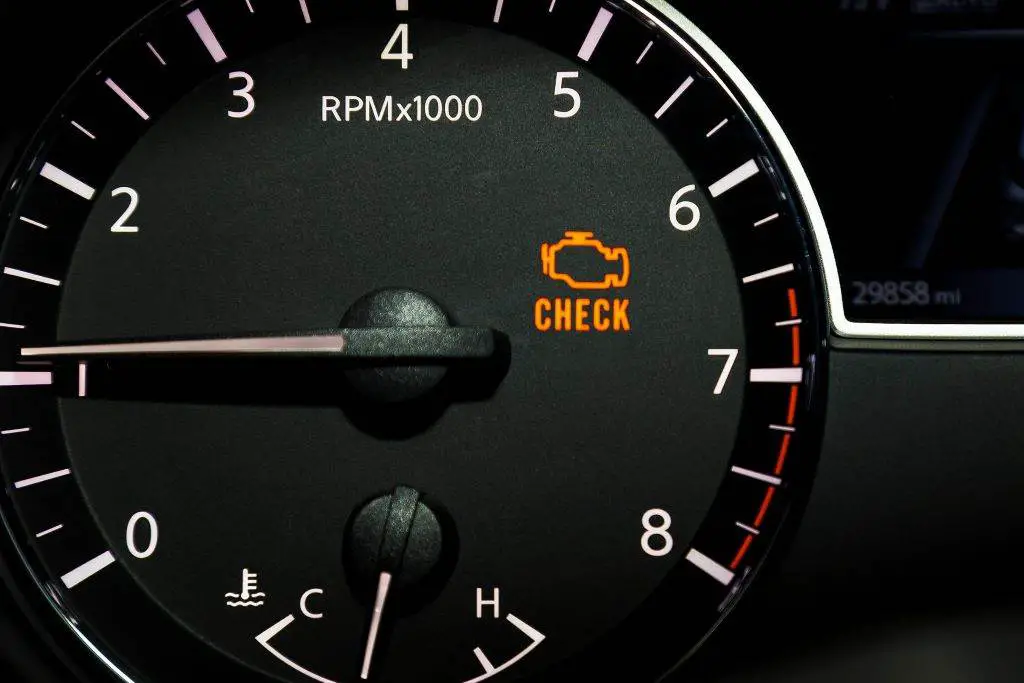
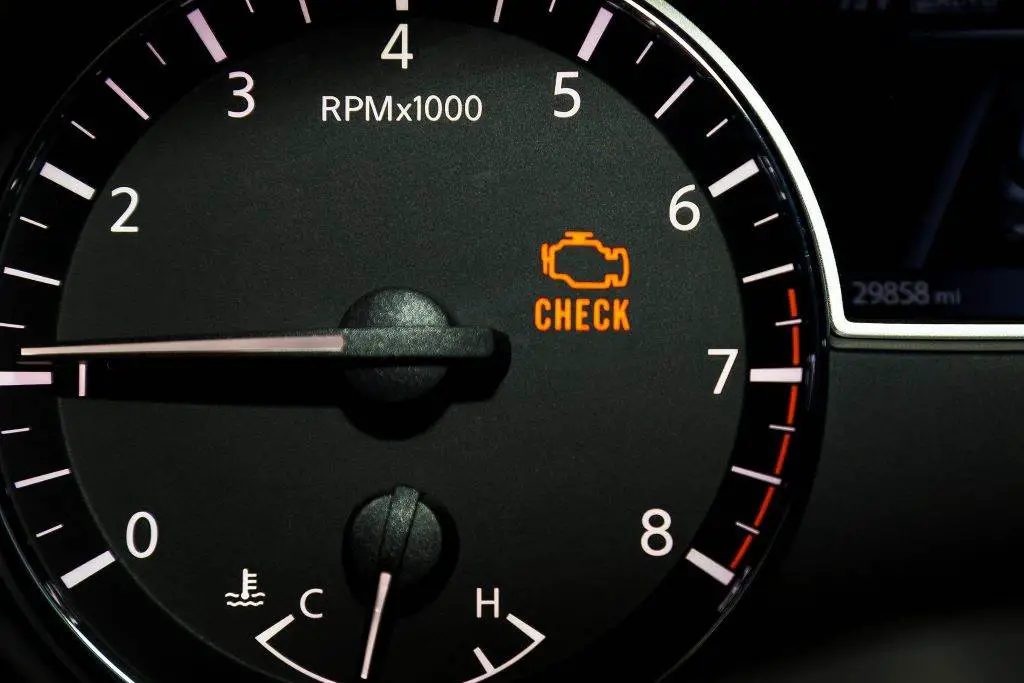
You see an orange “Check Engine” light on your dashboard? Don’t panic! Thanks to OBD-II, even without being a mechanic, you can decipher what your car is trying to tell you. Here is a simplified guide to understanding and reading error codes like a pro.

1. What is OBD-II?

OBD-II (On-Board Diagnostics II) is a system integrated into your vehicle since the 1990s. It continuously monitors engine performance, transmission, pollutant emissions, and other components. In case of an anomaly, it generates an error code stored in its memory, like a doctor noting symptoms.

2. Why Use OBD-II When You’re Not a Mechanic?

  • Save money: Avoid diagnostic fees at the garage.
  • Act quickly: Identify minor problems before they become serious.
  • Understand your car: Better communicate with your mechanic.

3. Necessary Equipment

No need for complex tools! An OBD-II reader is enough:

  • Basic reader (€20-50)
  • Bluetooth/Wi-Fi adapter (e.g., ELM327) + smartphone app
  • Professional reader (for advanced enthusiasts)

Tip: The OBD-II port is usually located under the steering wheel or in the glove box.

4. Steps to Read an Error Code (in 4 Minutes)

  1. Turn off the engine and plug in the reader.
  2. Turn the ignition on (without starting).
  3. Start the reading via the device or application.
  4. Note the displayed codes (e.g., P0300).

5. Decoding an OBD-II Code: Simple Explanations

A code consists of 5 characters:

  • P = Engine problem
  • 0 = Generic code
  • 30 = Misfires
  • 0 = Multiple cylinders affected

Free resources: eobdcode.com or Google (e.g., “P0455 meaning”).

6. What to Do After Reading the Code?

  • Simple problems: Check the gas cap (P0455) or clean the mass airflow sensor (P0171).
  • Complex problems: Consult a mechanic for codes like P0300 or P0420.

Warning: Never clear codes without solving the problem!

7. 3 Mistakes to Absolutely Avoid

  • Panicking as soon as the light appears.
  • Ignoring recurring codes.
  • Using a basic reader for complex diagnostics.

Conclusion: Become Your Car’s Expert

With minimal investment (€20 for a Bluetooth adapter), OBD-II allows you to avoid costly repairs. Some applications like FIXD even explain the severity of the problem and its estimated cost. So, ready to play mechanic? 🛠️

Also read: How to Reset a Check Engine Light

The 5 Essential OBD-II Tools for a Home Garage

Dreaming of diagnosing your car’s problems yourself without relying on a garage? With the right OBD-II tools, it’s possible! Here is our selection of the 5 essential tools to create an efficient and economical DIY workshop.

1. Basic OBD-II Reader: The Fundamental

  • Why you need it: Displays error codes in real time, ideal for beginners.
  • Recommended model: ANCEL AD310 (€30-40). Compact, built-in screen, clears codes.
  • Bonus: Perfect for checking the “Check Engine” light before a long trip.

2. ELM327 Bluetooth Adapter: The Smart Connection

  • Why you need it: Turns your smartphone into a professional tool via apps like Torque Pro or Car Scanner.
  • Recommended model: Veepeak OBDCheck (€20). Compatible with Android/iOS, stable and reliable.
  • Bonus: View live graphs (RPM, temperature, turbo pressure).

3. High-End Scanner: For Car Enthusiasts

  • Why you need it: Deciphers manufacturer codes, tests sensors and electronic modules.
  • Recommended model: Autel MaxiCOM MK808 (€250-300). Bidirectional, free updates, compatible with 90% of vehicles.
  • Bonus: Resets ESP or Airbag systems after a repair.

4. OBD-II to USB Cable: For Software Pros

  • Why you need it: Use advanced software like FORScan (Ford) or VCDS (Volkswagen).
  • Recommended model: OBDLink EX (€100). J2534 compatible, ideal for coding.
  • Bonus: Customize your car’s options (turn signal clicks, auto-locking).

5. Mobile Diagnostic Station: The Versatility

  • Why you need it: Combines an OBD-II scanner, multimeter, and oscilloscope.
  • Recommended model: BlueDriver Bluetooth Pro Scan Tool (€100). Generates detailed reports with repair solutions.
  • Bonus: Identifies even intermittent problems thanks to data logging.

How to Choose Your Tool?

  • Tight budget: Start with a Bluetooth adapter + free app.
  • Recent vehicles: Prefer a scanner compatible with CAN Bus (2010+).
  • Specific brands: Opt for dedicated cables/software (e.g., BMW, Mercedes).

In Summary: Why Invest in OBD-II?

With these tools, you will be able to:

  • Diagnose 80% of common failures (emission system, injection, ignition).
  • Save up to €150 per year on garage diagnostics.
  • Understand your car’s operation in real time.

Smart tip: Some tools like the Autel MaxiCOM are easy to resell used. Perfect for amortizing the investment!

Ready to turn your garage into a high-tech workshop? 🔧🚗

How to Diagnose a Problem Without an Error Code (Example: Vibrations, Abnormal Noises)

Your car vibrates, squeaks, or makes a worrying clunking sound… but no warning light comes on and the OBD-II shows no error codes? Don’t panic! Here is a step-by-step method to identify the source of the problem without professional tools.

1. Symptoms Not to Ignore

  • 🔧 Vibrations (steering wheel, seats, pedals)
  • 🔧 Abnormal noises: clunking (suspension), squeaking (brakes), whistling (belt)
  • 🔧 Strange behavior: pulling steering, burning smell, smoke

2. DIY Method: Diagnosis in 5 Steps

Step 1: Locate the Problem (Where? When?)

  • Where: Front/rear/left/right of the vehicle?
  • When: When braking? When accelerating? When cold?
  • 🛠️ Test: Drive in an empty parking lot and reproduce the noise/vibration.

Step 2: Visual Inspection (10 Minutes Max!)

  • Tires: Uneven wear, inflation, bulges.
  • Brakes: Scored discs, worn pads.
  • Belts: Cracks, loose tension.
  • Bushings: Torn rubber (suspension).

Tip: Use your smartphone’s flashlight!

Step 3: Test While Driving (Safety First!)

  • Steering wheel vibrations → Wheel balancing or worn ball joints.
  • Noise when turning → Wheel bearings or failed CV joints.
  • Squeaking when braking → Worn-out brake pads.

Step 4: Use Simple Tools

  • 📏 Pressure gauge (tires): €5 at a service station.
  • 🔩 Ratchet wrench: Tighten wheel nuts (recommended torque: 110 Nm).
  • 🎥 Smartphone camera: Film moving components (e.g., CV joint).

Step 5: When to Consult a Pro?

  • ⚠️ Vibrations + burning rubber smell → Seized brakes.
  • ⚠️ Metallic clunking under the chassis → Broken suspension.
  • ⚠️ Fluid leak (oil, coolant).

3. Practical Case: Diagnosing a Squeak During Acceleration

  1. Location: Noise comes from the front right.
  2. Inspection: Cracked accessory belt.
  3. Test: Spray water on the belt → Noise temporarily disappears?
  4. Solution: Belt replacement (€30-150 depending on model).

4. Common Mistakes to Avoid

  • Ignoring intermittent noises: A minor problem can worsen.
  • Overtightening nuts → Risk of breaking studs.
  • Using WD-40 on brakes: Danger of slipping!

5. Useful Tools (Under €50)

  • 🎧 Mechanical stethoscope (€15): Locates precise noises.
  • 🔊 Ultrasonic leak detector (€40): For air whistles.
  • 📱 “Spectroid” app (Android): Analyzes noise frequencies.

In Summary: Become a Car Detective!

With observation and a bit of logic, 50% of mechanical problems can be identified without expensive equipment. And if you’re unsure, share a video of the noise on a specialized forum – the community will help you!

Table of Typical Noises + Probable Causes

Noise Type When? Probable Causes Urgency Quick Check
High-pitched squeak 🎶 When braking Worn pads, warped discs 🔴 High Check pad thickness
Dry clunk 📌 When turning Failed CV joint, steering ball joint 🟠 Medium Shake the wheel (engine off)
Dull rumbling 🔊 At constant speed Wheel bearing, worn tires 🟠 Medium Change speed: does noise persist?
Whistling 💨 At idle Exhaust leak, belt 🔴 High (if smoke) Pass hand near joints (engine cold!)
Metallic knocking 🔨 Over bumps Shock absorbers, bushings 🟢 Low (except loss of control) Press on hood: does car oscillate > 2 times?
Buzzing 🐝 During acceleration Transmission, differential 🟠 Medium Check gearbox oil level

Important Notes:

  • ⚠️ Immediate stop required if: Burning smell, smoke, fluid leak.
  • 🔧 Additional tools: A mechanical stethoscope (€15) identifies 80% of noises.

The 5 OBD-II Tools for Home Garage

OBD-II (On-Board Diagnostics) is a standardized system that allows you to diagnose mechanical and electronic problems in your vehicle. For a home garage, having the right OBD-II tools is essential for identifying faults, optimizing performance, and avoiding costly workshop fees. Here are the 5 essential tools to have in your arsenal:


1. Basic OBD-II Scanner (Code Reader)

Why have it?
It’s the basic tool for reading and clearing error codes (e.g., P0171, P0300). Ideal for beginners, it allows you to quickly understand the source of an illuminated engine light.
Key features:

  • Compatibility with all vehicles post-1996 (OBD-II standard).
  • Display of codes and their meanings via a screen or smartphone app.
  • Affordable price (starting from €30).
    Examples:
  • BlueDriver (paired with an app for advanced analysis).
  • ANCEL AD310 (built-in screen, compact).

2. Advanced Diagnostic Tool with Live Data

Why have it?
To go beyond error codes: visualize real-time data (RPM, temperature, injector pressure, etc.) and diagnose complex faults.
Key features:

  • Live graphs to monitor vehicle parameters.
  • Access to specific modules (ABS, airbag, air conditioning).
  • Regular database updates.
    Examples:
  • Autel MaxiCOM MK808 (bidirectional, compatible with 90+ brands).
  • Launch CRP129X (touchscreen, coding functions).

3. OBD-II Cable + Professional Software (e.g., FORScan)

Why have it?
For car enthusiasts, a cable paired with software like FORScan (for Ford) or Torque Pro (multi-brand) allows for in-depth control of electronic systems.
Key features:

  • Module programming (e.g., resetting a control unit).
  • Active tests (actuating components to check their operation).
  • Compatibility with PC/tablet.
    Examples:
  • Vgate vLinker FS Cable (CAN FD security, reliable for FORScan).
  • OBDLink MX+ (paired with Torque Pro for Android/iOS).

4. OBD-II Data Logger

Why have it?
Ideal for analyzing intermittent problems (e.g., misfires during acceleration), it records data while driving for later diagnosis.
Key features:

  • Data storage on SD card or cloud.
  • Comparison of parameters before/after repair.
  • GPS integration (speed tracking, route).
    Examples:
  • RaceChrono Pro (for sports performance).
  • OBDLink CX (Bluetooth 4.0, BLE compatible).

5. Digital Multimeter with OBD-II Function

Why have it?
Combines code reading and electrical measurement (voltage, resistance, current) to check sensors, circuits, and fuses.
Key features:

  • Continuity and diode testing.
  • High accuracy (0.5% for voltage).
  • Support for CAN Bus protocols.
    Examples:
  • Fluke 88V (automotive specialized, industrial robustness).
  • Autel AL539 (multimeter + OBD-II scanner).

How to Choose?

  • Compatibility: Ensure the tool works with your vehicle (make, year).
  • Connectivity: Wireless (Bluetooth/Wi-Fi) for more flexibility.
  • Budget: From €30 for a basic tool to €500 for a professional one.

With these tools, your home garage becomes a mini-workshop equipped to solve the majority of common problems. Investing in OBD-II means gaining autonomy, savings, and a better understanding of your vehicle.