
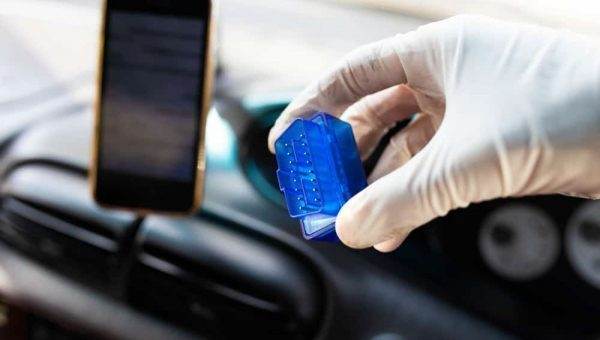

Have you ever tried to start your car’s engine, only to find that mysterious “check engine” light?
Your first instinct would be to try to connect the ECU (Engine Control Unit), only to have it fail – and the manual tells you to take the car for servicing. No, not the most reassuring statement you’ve ever seen.
This raises the question of how you can start reading your engine’s error codes, without the cost of taking it for servicing and having someone else do it for you. That’s where the ELM327 Bluetooth PIN code comes in, so read on to learn more about it.
When you are researching a great adapter for your car system, the information can confuse you. However, with sufficient knowledge of how your car system works, you will be able to avoid costly mistakes.
The car must register and inform you of any problems encountered in the system, and it does this via OBD or Onboard Diagnostics. These problems can include high emissions, low fuel consumption, and poor fuel economy.
First introduced in 1987 as OBD-I, it aimed to standardize diagnostics in cars. OBD-II came after 1996.
OBD-II uses a complex system to connect a wide range of systems in your engine and operates at an average of 500 kbps. It can thus access a wide range of information, such as oil temperature, vehicle speed, and engine RPM, as well as many others.
If any of these have issues, it sends you a warning via the “check engine” light. A professional mechanic will use a handheld scanner to see where the problem lies, but it’s something you can do too.
What Is the ELM327 Bluetooth Code About?

It is a method that allows you to more easily scan the OBD-II (Onboard Diagnostics II) system, easily monitor problems, and read PIDs, as well as other codes. You don’t need to pay high fees when you take your car for servicing, as this method proves useful for that purpose as well as if you are an expert who doesn’t have your dedicated scanning tools at the moment.
Even though this is helpful for solving your problems, there are still some things you need to know about the system before purchasing it.
Any Issues to Note?
There aren’t many, but it’s important to note that some of the cheaper ones are likely to have unauthorized ELM327 microcontroller clones. These can sometimes have inexplicable behaviors and prevent the entire system from working with certain devices.
The devices most affected by this are iOS devices, so if you have one, it’s important to select the right device for the job.
What About Compatible Hardware?
Any scanning tool with Bluetooth chips and an ELM327 controller will have a wide variety of devices it can pair with comfortably. However, there are limits, as with everything else.
The devices you can use include laptops, smartphones, and tablets. The phone is the best way to use the connectivity advantage – however, it may not work well with Apple products, such as the iPad, iPhone, and iPod Touch, due to how Apple handles Bluetooth in general.
If you are an Apple user, it’s better to use ELM327 Wi-Fi scanners and USB connections.
Additionally, if you have a single unit that can serve as both a reader and an adapter, that’s an even better option.
Can You Tell if Your Car Is Compatible With the System?
If your car was manufactured after 1996, the answer to the question is probably yes. If you are unsure of the port’s location itself, you can check via Google, using the car’s model, its make, and the year of manufacture.
How to Pair the Device to the System
It is generally easy to pair your device with the ELM327 system unless of course you have an Apple device. In terms of a basic summary of the general steps, you can:
- Plug the Bluetooth device into the OBD-II port
- Allow the device to search for possible connections (as you would for a normal Bluetooth connection)
- Choose the scanning tool (ELM327)
- Enter the pairing code
In many cases, when you purchase the Bluetooth scanner, you will receive documentation containing the pairing code, as well as any other unique directions different from the standard. However, if you don’t have access to the documentation, there are a few common codes that are useful, namely:
PIN Codes:
- 0000
- 9999
- 1234
- 6789
If they don’t work, try other sequences of four numbers (consecutive order).
What if It Does Not Work Completely?
If you have tried all these things and the device fails to pair with the system, it could be due to several reasons. In this case, try the following solutions:
- Try other pairing codes
- Try pairing the scanner with another device and see if it works. This is because some poor-quality microcontrollers have connection issues with certain devices.
One of the reasons why failure can occur is the limited time window. Bluetooth can detect devices, but when you try it again, you notice the device is not detectable. Consider doing the pairing within a minute of plugging the scanner into the OBD-II port, and there will likely be no connectivity issue.
If you own an Android device, you can use the system with apps on the Google Play Store, such as Torque Pro. The advantage of these apps is that they allow you to monitor changes to the engine in real time, even when the car is running, and you can also easily read pending or stored error codes.
Final Thoughts
Although the process of interpreting and reading codes is excellent for diagnosing engine problems, you must be careful about the issues you choose to disregard – do not compromise on safety by ignoring serious problems.