

Compact, easy to use, with large capacity and containing a lot of information, the car USB is probably one of the most popular choices for many drivers for entertainment purposes on long journeys. Reviving a long-favored route from East to West, however, this device cannot last as long as that route because it is easily damaged when used continuously for a long period. That said, I will provide some information on the causes and solutions to fix the problem of the USB not working in the car.
The Basics of Car USB
Car USB is a data storage device equipped with Flash memory to quickly read, write, and store data without any power supply needed. With its capacity, fast transmission speed, compact size, and simple operation, the USB becomes an indispensable accessory in the car.
Most car models manufactured from 2010 to today are equipped with a USB connection port on the dashboard, near the infotainment system. When the USB is plugged into the charging port, users can connect and transfer the stored data inside to the infotainment screen.
Currently, car USB is divided into two types: USB without copied music and USB with available music.
- Car USB that does not copy music: users can actively store audio, images, and videos based on their personal preferences.
- The car USB with music allows users to choose the available data to enjoy.
USB Not Working in the Car: Causes and Quick Solutions
Here are some causes of the USB in the car not working and how to quickly resolve each type of problem. If you feel that you cannot solve the problems yourself, you can take your automobile to a specialized shop for inspection and advice with the analysis of a professional mechanic.
The Problem Lies in the USB Charging Port
This problem can occur when the metal surface inside the USB charging port and the micro USB are not in good contact or are misaligned due to a manufacturing defect. Furthermore, as it is a portable cable, the charging cable will often be plugged and unplugged, which will lead to this situation. Please check the small details inside the USB port because its cable may not be in contact with the charger, leading to this annoying situation.
If possible, you should repair the USB port yourself. It is the quickest solution that can allow you to use your USB drive again quickly without losing labor costs at the shop. What you need to do is clean all its components of the charging port, the charging cord, and the USB as well. Before doing this, remember to turn off all devices. You can use a cotton swab to gently and carefully clean them, then plug them back in as they were.
The Problem Lies in the Car USB
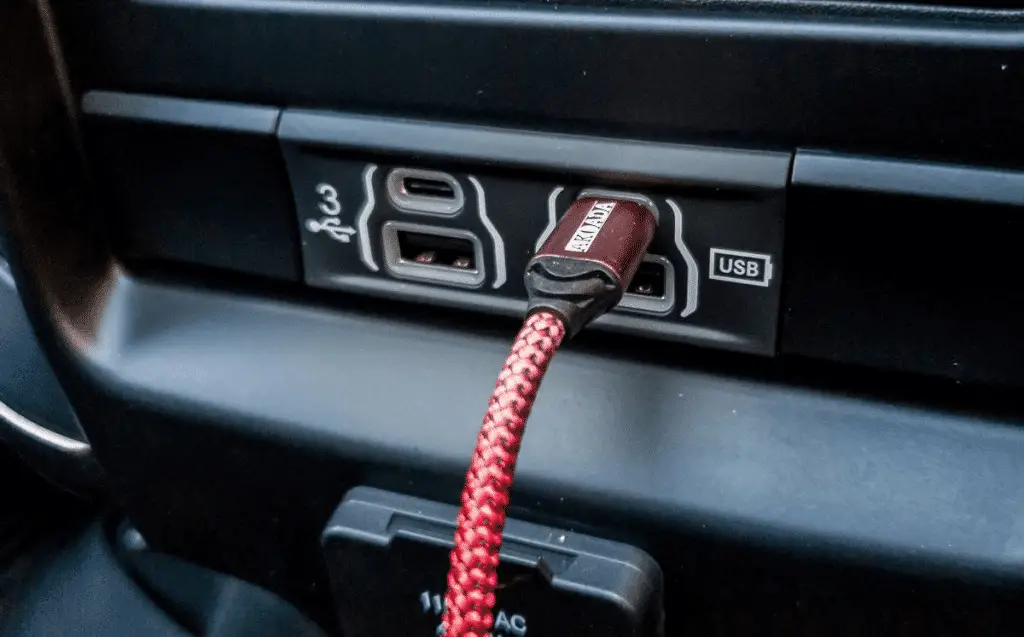
Furthermore, frequent plugging and unplugging of cables will cause scratching or deformation of the metal layer inside the charging port and the micro USB, making the connection mismatched, thus preventing the car from receiving data. Moreover, nowadays, many types of USB drives do not have a cover, so it is easy for dust to get inside or settle on the surface or slot. Therefore, drivers must clean it from time to time.
Do you often put a USB drive in your pants or shirt pocket, or not? Lint can stick to the USB and prevent it from having good contact with the car’s port. So what do you need to do? Again, carefully clean your USB drive and check if the connector is deformed or bent.
The Cable Prevents the Car from Receiving the USB Connection
Do you know the part that does not guarantee the most durability? It’s the cable. Cables can be easily damaged by physical impacts such as bending and twisting.
The simplest way to solve this problem is to try the cable with other charging devices to see if it works properly. If it does not work afterwards, you need to replace the cable with a new one.
Selective Suspend Function
The selective suspend function can also be one of the culprits that make the USB not recognized when plugged into the charging port. This function is responsible for cutting off the USB power to reduce the vehicle’s power consumption. Therefore, the USB with this feature configured will not be able to connect to the charging port because there is no power.
To overcome this situation, car owners need to disable this feature using the computer. Plug in the USB and connect to the computer, then use the following 2 methods:
- Press the Windows + R key combination, type Regedit, and change the value of the Disable Selective Suspend key to 1.
- Press the Windows + R key combination, type Regedit, click the Edit menu, select New, select DWORD (32-bit) Value, and change the value of the Disable Selective Suspend key to 1.
The Monitor Does Not Support USB
Currently, there are USB 2.0 and USB 3.0 corresponding to different types of cars. For the monitor to accept the USB, the driver must use the correct type recommended by the manufacturer. Furthermore, each type of monitor or screen is installed with a configuration. If your car’s monitor does not support USB, the error may be due to incorrect configuration. Drivers must revert to the standard format of the car’s USB drive, which is FAT32.
Additionally, damaged car USB hardware also prevents the monitor from recognizing the device. To fix it, users must check the electrical connection inside the drive or head to service centers for the best support. You should note to actively back up data to limit any loss if the USB drive is damaged.
Overall, the monitor does not recognize the USB because the USB hardware is damaged, the wrong format, or the wrong type of USB. Experts recommend that users do not use USB drives, chargers, and charging cords of unknown origin. Furthermore, if not in use, please disconnect the USB and store it properly, avoiding shocks to help protect and extend its lifespan.
Advice to Follow to Help Your Car USB Always Work Well
Not being able to use a USB drive to access entertainment functions is annoying and frustrating for some drivers on the road. To avoid experiencing a silent drive while enjoying promising exhaust fumes, follow a few notes below when using a car USB drive.
Say No to Car USB Drives and Related Devices of Unknown Origin
Be especially wary of cheap USB drives, car chargers, and cables of unclear origin. They can damage your associated devices. Please correctly follow the safety rules and standards when dealing with the USB port not working in the car.
Do Not Just Plug Your Car USB into Random Places
If the charging port does not have all the specifications, do not plug your USB drive into it, as it could even lead to a more serious breakdown.
Avoid Violent Shocks to the Car USB
Whatever you use, especially technological equipment, you must take great care of it to ensure its longevity. When not in use, you should put the USB drive in a closed box or store it carefully to protect it from external shocks. If you pay close attention, you will see that many drivers attach their car’s USB drive to the keychain. But this is not recommended at all, at any time or place.

Disconnect the Car USB When Not in Use
When you are not using the car’s USB drive, you should disconnect it to prevent electrical problems from damaging the data on the USB drive and possibly the entire memory card.
So, how do you disconnect the USB? Do you remove it directly from the USB socket when not in use? Be careful, avoid doing it this way because it will damage your data on the USB drive due to sudden detachment. Please safely disconnect by following the instructions below:
- Left-click on the USB icon on the desktop and select the Eject command.
- Then you can remove the USB drive and put it in the box.
Regularly Check and Back Up Data on the Car USB Drive
No matter how carefully you use and maintain your car’s USB drive, there may be cases where the USB drive suddenly loses data. Therefore, it is essential to occasionally check and back up the data on the USB drive.
Summarizing the Problem of USB Not Working in the Car
We hope that the information provided by our article above has helped you solve the problem of the USB not working in the car or the car not receiving the connection from the USB. You can save these handling methods to use when needed. Furthermore, remember to follow some tips to maintain and always take care of your car’s USB drive for many smooth and exceptional experiences on long journeys.