
What does it mean?
This is a generic diagnostic trouble code (DTC) and applies to many OBD-II vehicles (1996-newer). This may include, but is not limited to, vehicles from Nissan, Toyota, Mazda, Hyundai, Kia, etc. Although generic, the specific repair steps may vary depending on the year, make, model, and powertrain configuration.
If your OBD-II equipped vehicle has stored a P063E code, it means that the Powertrain Control Module (PCM) has not detected an automatic configuration throttle input signal.
When the ignition switch is turned to the ON position and the various onboard controllers (including the PCM) are powered up, several self-tests are initiated. The PCM relies on input signals from engine sensors to automatically configure an engine start-up strategy and perform these self-tests. The throttle position is one of the key input signals required by the PCM for automatic configuration.
The Throttle Position Sensor (TPS) must provide the PCM (and other controllers) with a throttle input signal for automatic configuration purposes. The TPS is a variable resistance sensor mounted on the throttle body. The tip of the throttle plate shaft slides inside the TPS. When the throttle plate shaft is moved (via the accelerator cable or drive-by-wire system), it also moves a potentiometer inside the TPS and causes a change in the circuit’s resistance. The result is a change in the TPS signal circuit voltage to the PCM.
If the PCM fails to detect a throttle position input circuit when the ignition switch is placed in the ON position and the PCM is powered up, a P063E code will be stored and a Malfunction Indicator Lamp may be illuminated. The automatic configuration system may also be disabled; leading to serious driveability issues.
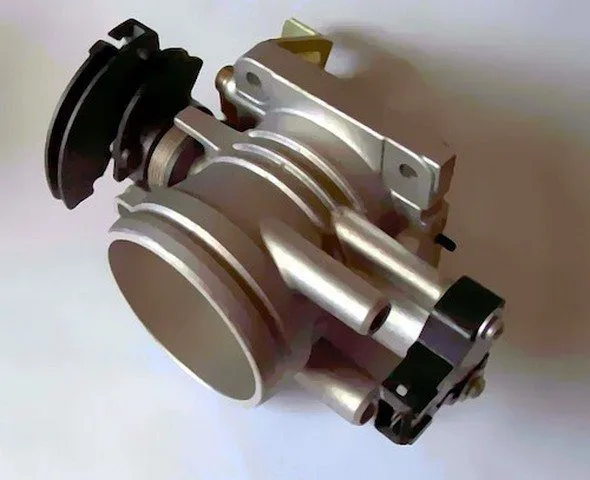
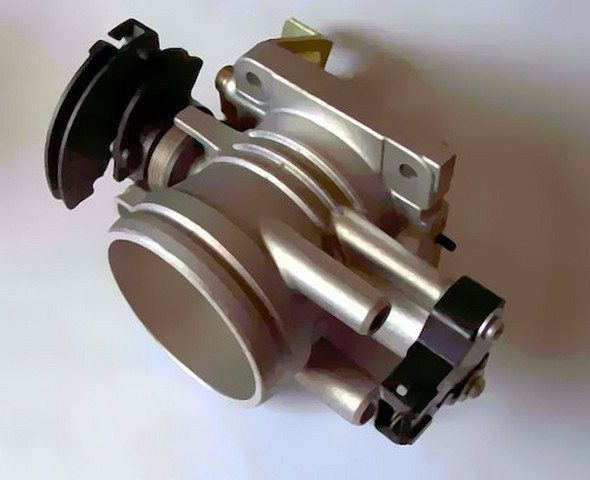
A typical throttle body:
P063E Throttle Body
How severe is this DTC?
Automatic configuration codes should be taken seriously as idle quality and engine starting driveability can be compromised. Classify a stored P063E code as severe and address it as such.
What are some of the symptoms of the code?
Symptoms of a P063E trouble code may include:
Rough engine idle (especially at startup)
Delayed engine starting
Driveability problems
Other TPS-related codes
What are some common causes of the code?
Causes
of this code may include:
Faulty TPS
Open or shorted circuit between the TPS and PCM
Corrosion in the TPS connector
PCM programming error or faulty PCM
What are the P063E troubleshooting steps?
If other TPS-related codes are present, diagnose and repair them before attempting to diagnose P063E.
A diagnostic scanner, a digital volt/ohmmeter (DVOM), and a reliable source of vehicle information will be needed to accurately diagnose a P063E code.
Consult your vehicle information source for applicable Technical Service Bulletins (TSBs). If you find one that matches the vehicle, symptoms, and codes you are dealing with, it may help in reaching a correct diagnosis.
I always start any code diagnosis by connecting the scanner to the vehicle’s diagnostic port and retrieving all stored codes and relevant freeze frame data. I like to note this information (or print it if possible) in case I need it later (once the codes are cleared). Then, I clear the codes and test-drive the vehicle until one of two scenarios occurs:
A. The code does not reset and the PCM enters readiness mode
B. The code resets
If scenario A occurs, you are dealing with an intermittent code and the conditions that caused it may need to worsen before an accurate diagnosis can be made.
If scenario B occurs, proceed to the steps listed below.
Step 1
Perform a visual inspection of all associated wiring and connectors. Check PCM power fuses and relays. Perform necessary repairs. If no issues are found, proceed to the next step.
Step 2
Obtain diagnostic flowcharts, wiring diagrams, connector face views, connector pinout diagrams, and component testing specifications/procedures from your vehicle information source.
Once you have the correct information, use the DVOM to test the TPS voltage, ground, and signal circuits.
Step 3
Start with a simple test of the voltage and ground signals at the TPS connector. If there is no voltage, use the DVOM to trace the circuit back to the appropriate terminal on the PCM connector. If there is no voltage at that pin, suspect a faulty PCM. If there is voltage at the PCM connector pin, repair the open circuit between the PCM and the TPS. If there is no ground, trace the circuit to the central ground location and perform necessary repairs. If ground and voltage are detected at the TPS connector, proceed to the next step.
Step 4
Although TPS data is accessible via the scanner’s data stream, live data from the TPS signal circuit can be collected using the DVOM. Live data is much more accurate than the data observed in the scanner’s data stream display. An oscilloscope can also be used to test the