

BMW cars have a computer system that handles most of the vehicle’s diagnostics and displays. After maintenance tasks like an oil change or battery replacement, it becomes necessary to reset the BMW computer. If you don’t want to use a professional service for this, you need to know how to reset the BMW computer after battery replacement.
Why does the BMW computer need a reset?
Nowadays, BMW cars are equipped with a complex electrical system consisting of a computer that controls the alternator. After replacing the battery, this computer needs to be informed of the change so that its software has updated information. The main reason is that the computer stores electrical energy, which is different from the main battery.
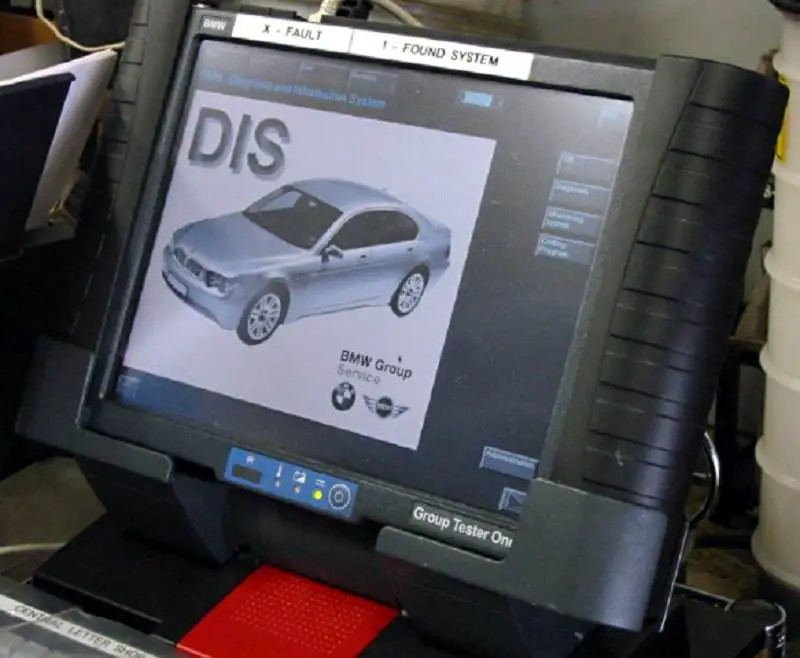
There are certain benefits to performing a computer reset in BMW cars.
- Resetting the computer is a way to inform the computer of the successful registration of a new battery.
- The reset ensures that the BMW car’s battery registers 80% of its capacity as a reference point.
- This process also confirms the restoration of the current odometer readings.
- It also allows the computer to delete the storage allocation of battery information, such as temperature, voltage, current, and battery charge level.
Which BMW models need a computer reset?
In modern BMW models, various modules and electronic control systems are interconnected and rely on computer software to function effectively. In some situations, a computer reset may be necessary to resolve issues or restore optimal functionality. When changing the battery on any of these models, resetting the computer becomes essential. However, the need for a computer reset may vary depending on the specific model, year, and the nature of the problem you are experiencing. Below, we will list some specific BMW models that need to be reset after a battery change:
- 7 Series cars from 2002 and later (E65/E66 chassis)
- X5 cars from 2007 and later (E70 chassis)
- 6 Series cars from 2003 and later (E54/E63 chassis)
- X5 cars from 2005 and later (E53 chassis and N62 engine)
- X6 cars from 2008 and later (E71 chassis)
- 3 Series cars from 2006 and later (E90/E91/E92/E93 chassis)
- 5 Series cars from 2004 and later (E60/E61 chassis)
How to reset the BMW computer after a battery change
As you can understand the importance of resetting the BMW computer from the previous discussion, here are the steps.
- First, turn the BMW car’s ignition key to the accessory position once the lights and radio are on. You must do this before starting the vehicle. Then, press and hold the “Trip” button, located on the dashboard, until the red light comes on.
- Again, press and hold the “Trip” button until Reset appears.
- Then, press the same button a third time. Now, the BMW computer will be reset in no time.
The entire process of changing the battery and resetting the computer in BMW cars is not expensive. Doing it on time will allow you to drive your BMW car without any problems. Despite all these facts, do not take this procedure lightly. There are auto workshops with qualified technicians who adhere to the manufacturer’s warranty standards. Consult these shops for safe and secure service.
Watch more:
Some situations where you need to reset the BMW computer
Here are some cases where a BMW computer reset may be recommended or necessary:
- Disconnecting the battery: If you disconnect the vehicle’s battery for maintenance or replacement, it may be necessary to reset certain systems, such as power windows, sunroof, radio, or air conditioning, to restore their proper functioning.
- Software updates: BMW periodically releases software updates called “firmware” or “programming” updates to fix system bugs, improve performance, or introduce new features. After updating the software, a reset of specific modules may be necessary to ensure proper integration and functionality.
- System malfunctions: In case of certain electronic system malfunctions or errors, resetting the associated modules or performing a system reboot can help resolve temporary issues or errors. This can be done using specialized diagnostic tools available at authorized BMW service centers.
- Adaptation reset: Some BMW models have adaptive systems that learn and adapt to driver behavior or environmental conditions. In some cases, resetting these adaptations can help recalibrate the system settings for optimal performance.
It is important to note that while a computer reset can resolve some issues, it is not a universal solution to all problems. If you are experiencing persistent or significant issues with your BMW’s electronic systems, it is recommended to consult an authorized BMW service center or a qualified technician who can diagnose the specific problem and recommend the appropriate course of action.
Conclusion
You can avoid a lot of trouble if you know how to reset the BMW computer after a battery change. By following these steps, anyone can reset the computer in BMW cars without any difficulty.