
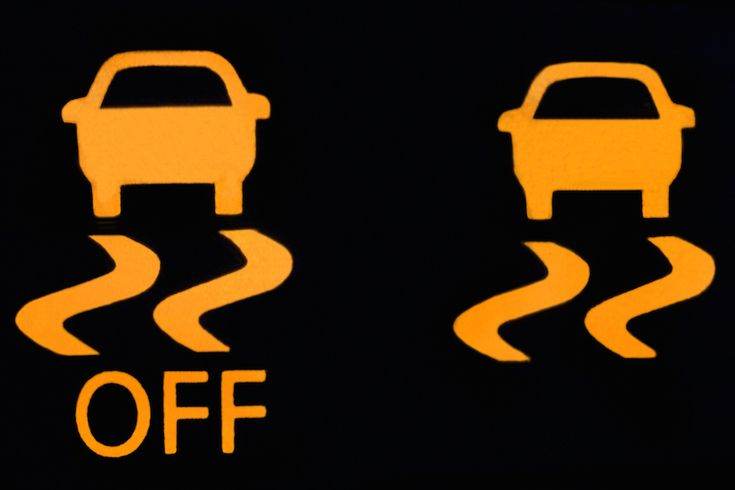
Anti-skid helps provide a safe driving experience throughout the driving process. That’s why some drivers have decided to activate the traction control system while driving. However, in certain conditions like being stuck in snow or mud, leaving traction control activated can be a disadvantage as it may cut power to your drive wheel. In this situation, you should deactivate this system, but the question is how to disable anti-skid. Let’s follow along:
It’s a very simple process, and we will describe the step-by-step instructions to disable traction control.

What does traction control do on your car?
A traction control system or TCS is an active safety feature installed on vehicles to help your car remain stable during acceleration as well as when driving on slippery roads. The main function of this system is to ensure vehicle grip.
There is also a function to ensure traction, but the application of TCS is completely different from ABS. If the anti-lock braking system (ABS) has an effect during emergency braking, the TCS function is responsible for controlling traction when your car is moving.
Anti-skid features automatic operation based on early detection of wheel slip. As a result, vehicle safety will be ensured during travel in all weather and terrain conditions. This function is very effective when the vehicle accelerates suddenly or drives on slippery roads.
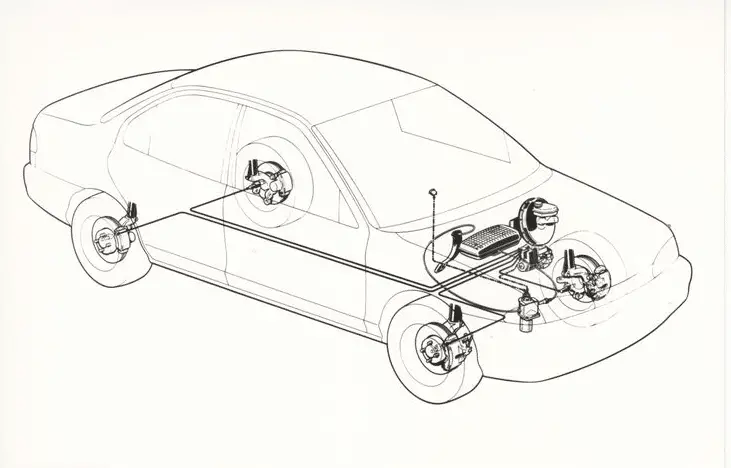
The TCS has a fairly simple structure, including a speed sensor shared with the anti-lock braking system and a cable connected to the automatic traction control valve (ATC), linked to the ECU.
Therefore, the cost of installing this system is not too expensive. The anti-skid function is controlled by a push button on the vehicle with the TC/TCL/ESC symbol. In some cases, the driver can deactivate this function.
Traction control systems in cars are usually started automatically when the vehicle is moving. However, the manufacturer still provides a control button to turn the anti-skid system on/off on the dashboard, steering wheel, or gear lever.
Because the anti-skid system does not always work. In some cases, the TCS interferes with the vehicle’s operational capability. At that point, the driver can actively disable the TCS and turn it back on later.
If you are driving on everyday roads, in icy or snowy conditions, it’s better to drive with the anti-skid system on, as it will prevent you from losing control and your tires from skidding. However, this is not always correct when applying this function; let’s move to the next part to learn more:
When should you disable traction control?
The traction control system is such a great safety feature, so why on earth would you want to disable traction control? The most common case for disabling the anti-skid function on cars is when your vehicle is stuck on muddy or icy roads, or when the vehicle gets bogged down…
At that moment, the wheels are usually not synchronized with each other, and there will be more drive wheels spinning, which is the kind of thing we will need to spend a lot of time moving your car forward and backward. When you turn off the traction control button, it will allow you to perform this maneuver to get out of that messy situation.
If the TCS is activated, the system will be able to detect and slow down the wheel. This makes it difficult for the car to get out of the mud. A misunderstanding is that traction control increases traction. Our answer is “No” because it simply allows your vehicle to go straight.
When the car’s tires start to spin and move forward, the anti-skid system slows down the wheel rotation to reduce wheel speed. Now, disabling this function will help you easily pass the obstacle. Thus, this function will be turned off when you are stuck in ice or mud.
In what other case would drivers disable anti-skid? Another rare case for disabling anti-skid is when you want to drift. Drifting is a driving technique that intentionally oversteers the vehicle to make the wheels skid.
So, if you want to drift, you need to disable the TCS. When anti-skid is disabled, you have full control over your car’s power. It would be a disadvantage for the car’s performance if you limited your car’s speed when you are on the track and the TSC is activated.
There are two most common situations where we recommend disabling the traction control system because there is no point in activating this system. If you keep the TCS on under these circumstances, it can sometimes consume a lot of fuel and cause your tires to wear out.
How to disable traction control on your car?
It is very simple to disable the anti-skid system. In our article, we will show you 2 methods to disable this system with and without using the button:
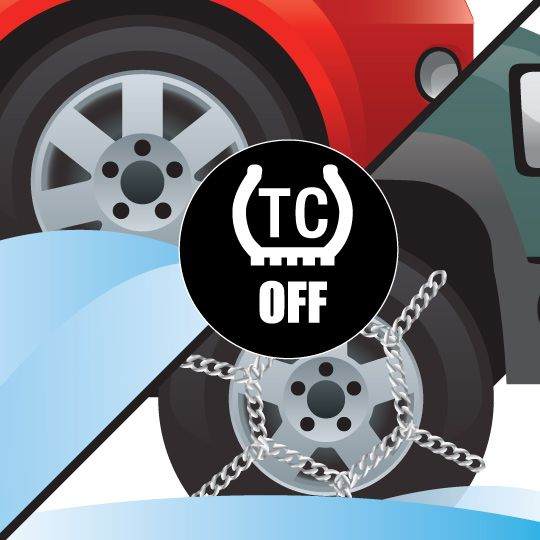
Method 1: Using a button
Step 1: Locate the traction control button
Basically, the first thing you need to do is locate the button that turns off traction control. So you should look around the dashboard area, and the button will most likely be accessible by either your right hand or your left hand.
Normally, it is probably located to the right or left of your steering wheel. After that, you should look for a button that has either a picture of the traction control logo or an acronym for the traction control system (VSA, TCS, TC, or TCL depending on the car’s model and brand).
Step 2: Turn off the TCL button
When you have located the button, you are going to press and hold it down for several moments. And by pressing this button, you will hear a “beep” sound, and you will probably see a symbol on your dashboard.
At that point, the multi-information display on your dashboard will notice that the traction control system is disabled. When you look at the dashboard, you will notice that the traction control light comes on, and this lets you know that you have disabled traction control. Now, you have achieved your goal.
Step 3: Turn off the Vehicle Stability Control (VSC)
There is a second part of this process that you need to do, which is to turn off the VSC for the entire system. You will hold the button with the VAC symbol for 3 seconds until you see the notification on your dashboard. At that point, you will get a complete shutdown of the safety system, and you can now perform your maneuver to get through the blockage on the road.
Method 2: Without using a button
Some cars do not have a traction control button, which is why we will show you how to disable the TCS without a button.
Step 1: Turn your ignition: You will insert your key into the ignition and turn it on.
Step 2: Turn on the hazard lights: This is a very important step to let other vehicles know that your car is not moving to minimize accidents.
Step 3: Press the pedal 5 times: This step will be quite easy; you just need to press the accelerator pedal 5 times while keeping your vehicle in park and not allowing it to exceed this number; this is important to remember.
Step 4: Check if traction control is disabled: After completing the above steps, if you hear the sound and notice the notification on your dashboard, it means your task is successful.
Step 5: Turn off the hazard lights
FAQ
Why is my anti-skid light on?
In some cases, the TCS light indicates that your vehicle’s anti-skid system is active and working properly. Traction control is necessary to maintain grip in slippery conditions.
Some TCS lights come on in rainy or snowy weather and then go away. When this happens, it means the system is activated due to low-traction road conditions (black ice, snow, or rain) and is helping the vehicle maintain traction.
However, if the traction control light stays on during driving in fair weather or if the light flashes intermittently, it means there are problems in your car’s system that need to be checked. This may indicate that the system is hard-coded or malfunctioning.
This problem can be caused by a faulty speed sensor that alerts the vehicle’s computer of a possible loss of grip. Alternatively, there could be a problem with the traction computer system. A flashing TCL can also mean the system is not fully functional, so it is important to be vigilant when viewing in bad weather.
Simply put, a TCL light on can indicate the system is working properly in certain situations. Anti-skid is designed to detect when the tires are not in contact with the road in icy or muddy conditions. But when you notice this light flashing or coming on in sunny weather, then you need to take precautions.
Should anti-skid be on or off?
We will tell you the truth about whether it is better to drive with anti-skid on or off. We will go over a simple answer: “It is safe to drive with traction control disabled in normal weather conditions, but it is important that you activate the system if you are likely to hit a slippery road or in bad weather conditions.”
As we know, TCS is a standard safety feature in many vehicles nowadays. It will be activated when you start your engine. The system will intervene when it detects a difference between the vehicle’s speed and the wheel rotation. It can be said that this system will be beneficial for any type of vehicle regardless of the car’s drivetrain.
But in several situations, activating traction control will be more harmful than good for your car, such as when you are stuck stationary in sand, mud, or snow. This will lead to greater engine power consumption and prevent your car from moving forward.
How to reset the anti-skid light?
Sometimes you will notice the traction control light comes on even in fair weather, and you want to reset this light first instead of visiting the mechanic. Is there a way to reset the traction control light? There are several ways to reset the TCL.
Corresponding to each different vehicle type, you will have a few ways to do this process. But we will share the most common way: First, you need to disconnect the positive cable from your battery. After that, you will press the accelerator pedal 3 times in a row. So why do we need to do this? This step will discharge the electrical system and restart your car’s computer.
Then, you will reconnect the cable and start the engine, letting it run for a few minutes. Now, the process is finished. If the traction control light continues to be faulty, you need to entrust your car to a trusted mechanic.