
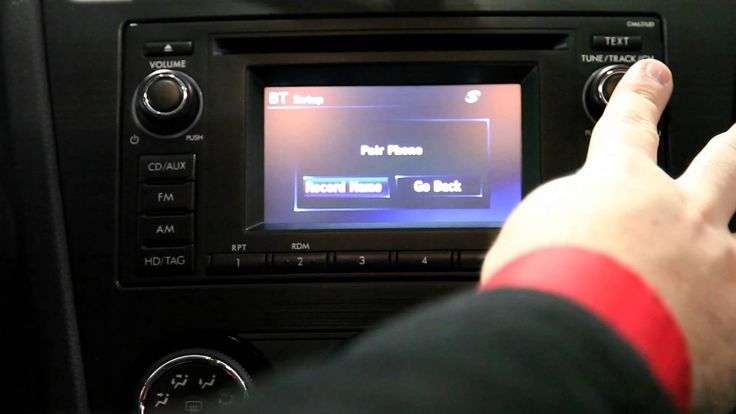
Bluetooth is now a standard feature on almost all modern vehicles, but with older models, that’s not always the case. If your car doesn’t have this feature, you might be missing out on a lot of driving enjoyment. So how to add Bluetooth to the car? In this article, we will share with you some simple ways to carry out this process:
Car Bluetooth: What is it and why do you need it for the car?
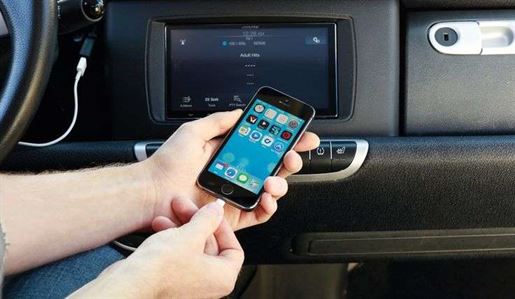
Simply put, Bluetooth is a wireless device built into your car and it will allow you to communicate with two compatible devices via radio waves. Most modern cars today equipped with an infotainment system will have Bluetooth connectivity. It’s a simple way to connect your car’s infotainment device to your smartphone. What are the benefits of adding Bluetooth to the car?
- Hands-free connectivity: When connected to Bluetooth, your car’s screen resembles an enlarged smartphone screen. When a call comes in, simply press the button on the screen’s control panel. This will make your driving much safer.
- Multifunctional entertainment screen: You will discover features for watching videos and listening to music directly on the large screen. Thanks to this, the entertainment experience will be much more enjoyable than watching on your phone’s screen or listening to boring songs on the radio.
- Vehicle maps and navigation systems: This benefit will greatly facilitate each of your trips. Looking at the map on a large screen will help you orient yourself more easily, thus helping the driver to drive with more peace of mind.
- Voice control: The outstanding advantage of the Bluetooth connection between the phone and the car is the voice use function. Currently, Google Assistant allows users to control the car’s screen via voice, such as making calls, listening to music, displaying maps,…
How to add Bluetooth to the car: 3 different ways to do it
There are several ways to add Bluetooth to your car, so let’s find out how to connect Bluetooth to the car?

Using a Bluetooth receiver
We can say that the simplest and most common way to add Bluetooth to a vehicle’s radio is to use a pair of Bluetooth receivers. With this device, you can connect non-Bluetooth equipment to your smartphone or another Bluetooth-compatible device and allow you to stream from them, including speakers, docking stations, a hi-fi system, headphones, and a stereo system. You can do this by pairing your phone with the Bluetooth receiver. And any audio you stream from your phone will be sent to the receiver which then plugs into the 3.5-millimeter input jack (located in the center of the console or stereo system) or into your vehicle’s auxiliary input.
We can say that you will easily set up the Bluetooth receiver whenever you use a non-Bluetooth device. This receiver is small and portable, so it can be easy to put in your car or in your bag. You can fully control the sound of your device once connected.
Note that: You only need to pair the Bluetooth the first time you want to connect a new device to your car. After that, the audio device and your smartphone will connect automatically from the next time.
FM transmitter
If your car or radio doesn’t have an auxiliary input, you’d be better off using an FM transmitter. Generally, the FM transmitter is designed like a Bluetooth receiver, but instead of sending the audio to the stereo via an auxiliary cable, it will work with converters to transfer your audio output from the pre-existing source to audio signals. After that, the signal will be transformed into FM signals to help drivers adjust their radio frequency according to the transmitter. Transmitters usually connect to your headphone device and then broadcast the signal on the FM broadcast band, which will allow all nearby radio stations to pick up the signal.
Simply put, an FM transmitter also known as a miniature radio has the main responsibility of transforming the radio signal from devices (iPod, iPad, or laptop) into a wireless FM stereo signal and converting them. At that point, you will hear the music streamed from your phone. However, a big advantage of the FM transmitter is the lack of wires, but depending on which one you buy, you might also suffer from occasional audio loss or static.
Car Bluetooth adapter
The last method is to use a Bluetooth adapter. The Bluetooth adapter will be a favorite choice for those who like to have technical objects. It will be a perfect option if you want to equip this feature to your car radio and moreover, it is also easy for you to install in your car. Bluetooth technology is increasingly used to adapt to the wireless environment like in vehicles. Using adapters will be convenient for communicating with other devices in your car with the computer or phone over a short distance. A Bluetooth adapter (or Bluetooth dongle) is a small device that allows your car’s wireless technology to expand its potential.
You just need to plug the USB Bluetooth adapter into your computer’s USB port, and all the Bluetooth devices you want to communicate with the PC adapter can do so. You can mount the microphone on the dashboard or attach it to the sun visor when you answer a call, you will hear the sound from the car’s speaker. However, we advise against making phone calls while driving. To ensure your safety, let’s stop and answer the phone.
In a nutshell
In addition to the 3 methods above that we shared, you can apply other useful methods, such as using a universal Bluetooth kit or a Bluetooth speaker. Hopefully, the article will provide you with useful solutions when adding Bluetooth to your car and we can say that car Bluetooth is a cutting-edge feature that you can consider equipping so that the vehicle can experience fun while driving.